Please Do It é um aplicativo Please Do It desenvolvido por Please Do It que pode ser executado em dispositivos móveis, mas usando o melhor emulador de Android - LDPlayer, você pode baixar e jogar Please Do It no seu computador.
Ao executar Please Do It no seu computador, você pode navegar claramente em uma tela maior, e controlar o aplicativo com o mouse e o teclado é muito mais rápido do que com o teclado de toque, e você nunca terá que se preocupar com a bateria do seu dispositivo.
Com as funções de múltiplas instâncias e sincronizador, você pode até executar vários aplicativos e contas no seu PC.
E a função de transferência de arquivos torna muito fácil compartilhar imagens, vídeos e arquivos.
Baixe Please Do It e execute-o no seu PC. Desfrute da tela grande e da alta qualidade do PC!
No more slacking off: When you say “Please Do It” things get done.The chat app built to get things done!
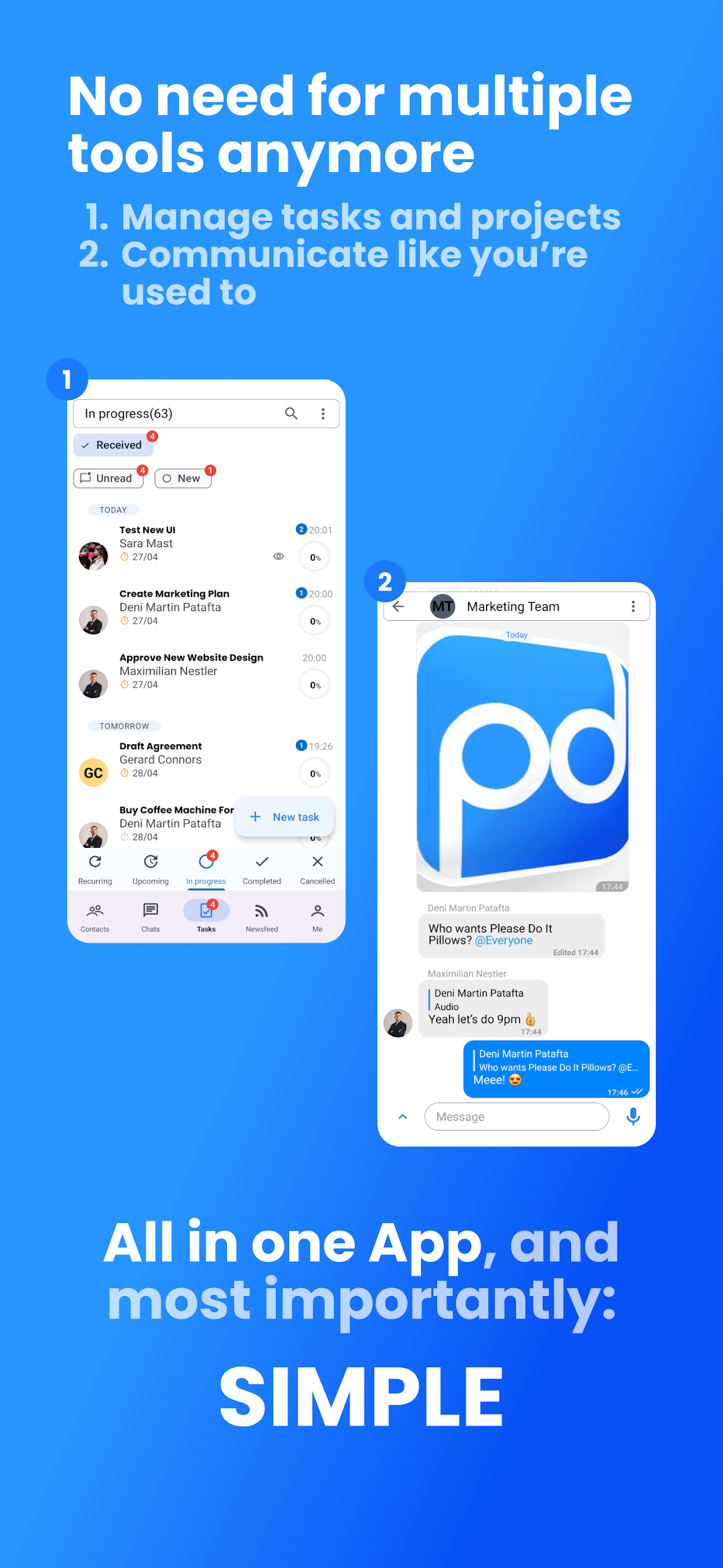
Please Do It allows you to communicate and manage tasks in ONE place, meaning your project management becomes as easy as sending a message!
You can communicate as easily as sending a message via WhatsApp, Slack, or Email but also manage tasks like in Asana, Clickup & Co... The only difference:
It’s truly all in ONE app, and most importantly: It’s simple!
With Please Do It you can:
• Send tasks within a couple of seconds: Creating and sending tasks is as easy as sending a message.
• Make responsibilities clear: Each task can only have one responsible person. No more confusion about who does what.
• Create unforgettable deadlines: Deadlines you set automatically adapt to your team’s timezone. No more missing or forgetting deadlines even with global, remote teams.
• Chat inside tasks: Each task has its own dedicated chat - keep all communication relevant to your task and only between people who need to be involved.
• Everything you need, everything you know: Send text, voice, and video messages, share files, whiteboards, and sheets inside tasks, with the same ease as your regular chat apps. No more need for complicated drive folder mazes.
• Organize tasks: With one click you see which tasks you sent, received, completed, are working on, and canceled.
• Report progress with one click: With one click you can update how close you are to completion so everyone knows when you’re done.
• Rate tasks upon completion: With one click rate the task someone delivered, making performance reports and feedback loops quick & easy.
• Keep chats clean: Create chats & groups outside of tasks for easy non-task-related communication that doesn’t clutter project chats. No more need for Whatsapp, Slack, or Email.
• See everything in one glance: The automated personalized Newsfeed shows you updates on tasks you’re involved in & whenever you have been tagged - nothing more and nothing less. Simple, relevant, and streamlined.
Please Do It keeps your team focused on what matters most: Quick, efficient completion of tasks and communication where nothing gets lost or forgotten.
Quit wondering why things don’t get done and get ready to say “Please Do It!”
Getting things done is now as easy as sending a message - Download Please Do It now and see for yourself how easy managing projects can be.